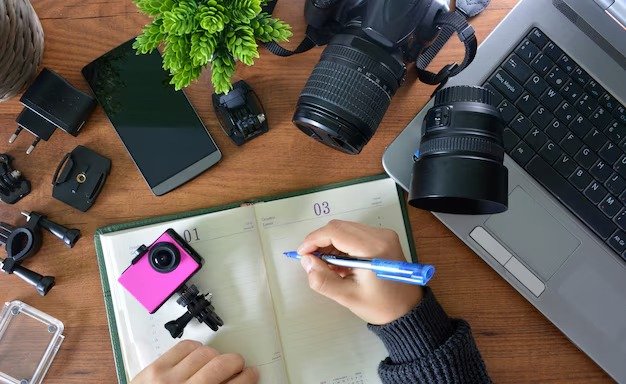
Photography is a magical blend of art and science, turning fleeting moments into lasting memories. As someone who fumbled with a camera for years before capturing that perfect sunset, I know the beginner’s journey can feel overwhelming—but it’s also incredibly rewarding. This guide shares 21 practical, beginner-friendly tips to help you take great pictures, backed by photography principles and my own trial-and-error moments. From mastering your camera to finding your creative spark, let’s dive into the world of photography with enthusiasm, a touch of humor, and a lot of actionable advice.
Why Photography Is Worth Learning
Photography lets you see the world differently, capturing beauty in everyday moments. Whether you’re snapping family gatherings or scenic landscapes, it’s a skill that grows with practice. Studies, like those from Journal of Positive Psychology (2020), show creative hobbies like photography boost mental well-being.
The Beginner’s Mindset
Starting out, it’s easy to feel intimidated by gear or jargon. But every pro was once a beginner, and mistakes—like my blurry first attempts—are part of the fun. Embrace curiosity, and you’ll be amazed at how quickly your photos improve.
Understanding Your Camera
Before diving into tips, get to know your camera—whether it’s a smartphone, point-and-shoot, or DSLR. Understanding its settings is the foundation of great photography. I learned this after months of shooting in auto mode, wondering why my photos looked flat.
Camera Types for Beginners
- Smartphones: Convenient, with improving sensors (e.g., iPhone 16 or Google Pixel 9).
- Point-and-Shoot: Affordable, user-friendly (e.g., Canon PowerShot G7 X).
- DSLR/Mirrorless: Versatile for learning (e.g., Nikon D3500 or Sony A6400).
21 Essential Photography Tips for Beginners
These 21 tips cover technical skills, creative approaches, and practical habits to help you take stunning photos. Each is designed to be actionable, with insights from my own learning curve and industry best practices.
1. Master the Exposure Triangle
Exposure—how bright or dark your photo is—depends on aperture, shutter speed, and ISO. Together, they form the exposure triangle, controlling light and mood. A 2021 Digital Photography Review guide emphasizes mastering these for creative control.
How It Works
- Aperture: Controls depth of field (f/1.8 for blurry backgrounds, f/16 for sharp landscapes).
- Shutter Speed: Affects motion (1/1000s freezes action, 1s blurs waterfalls).
- ISO: Adjusts light sensitivity (100 for bright days, 800+ for low light).
2. Shoot in Manual Mode
Manual mode gives you control over settings, unlike auto mode. It’s intimidating at first—I overexposed my first manual shots—but practice builds confidence. Start by adjusting one setting at a time, like aperture, while keeping others on auto.
Getting Started
Use your camera’s light meter to balance exposure. Apps like PhotoPills can simulate settings for practice. Expect trial and error—it’s how you learn.
3. Understand Light
Light is photography’s lifeblood. Natural light, like golden hour (sunrise/sunset), creates soft, flattering tones. My first golden-hour shoot transformed my flat photos into vibrant masterpieces.
Types of Light
- Soft Light: Cloudy days or shade for even tones.
- Hard Light: Midday sun for dramatic shadows.
- Golden Hour: Warm, soft light for dreamy shots.
4. Use the Rule of Thirds
The rule of thirds divides your frame into a 3×3 grid, placing subjects off-center for balance. Most cameras have a grid overlay to help. My early photos were centered and boring—using this rule instantly added interest.
How to Apply It
Place key elements (like a person’s eyes or a horizon) along grid lines or intersections. Smartphones and cameras often have this feature in settings.
5. Focus on Composition
Composition is how you arrange elements in a frame. Beyond the rule of thirds, try leading lines (roads, fences) or framing (using doorways). My beach photos improved when I used waves as leading lines.
Composition Techniques
- Leading Lines: Guide the viewer’s eye.
- Framing: Use natural frames like windows.
- Negative Space: Empty areas to highlight subjects.
6. Keep Your Camera Steady
Blurry photos ruin great moments. Use a tripod or stabilize your camera on a surface. I learned this after shaky handheld shots ruined a family portrait session.
Stabilization Tips
- Tripod: Joby GorillaPod for portability.
- Shutter Release: Use a timer or remote to avoid camera shake.
- Brace Yourself: Lean against a wall or tuck elbows in.
7. Experiment with Angles
Don’t just shoot at eye level—try high, low, or side angles. Crouching for a flower shot made my photo pop with a unique perspective. Experimentation sparks creativity.
Angle Ideas
- Low Angle: Shoot upward for dramatic effect.
- High Angle: Overhead shots for patterns or food.
- Dutch Angle: Tilt for a dynamic, edgy feel.
8. Use Natural Light Effectively
Natural light is free and versatile. Avoid harsh midday sun; shoot during golden hour or in shade. My indoor portraits improved by placing subjects near windows for soft light.
Lighting Hacks
- Reflectors: Use white paper or foil to bounce light.
- Diffusers: A white sheet softens harsh sunlight.
- Golden Hour Apps: Sun Seeker tracks optimal light times.
9. Shoot in RAW Format
RAW files capture more data than JPEG, giving flexibility in editing. I switched to RAW after realizing I could recover details in overexposed skies. Most cameras and some smartphones support RAW.
Why RAW Matters
RAW allows adjustments to exposure, colors, and shadows without quality loss. Use software like Adobe Lightroom for editing. It’s a game-changer for beginners.
10. Pay Attention to Backgrounds
A cluttered background distracts from your subject. I once ruined a portrait with a messy park bench in the frame. Check your background before shooting and adjust your angle.
Background Tips
- Simplify: Use plain walls or open spaces.
- Blur: Wide apertures (low f-number) soften backgrounds.
- Reposition: Move yourself or the subject for a cleaner shot.
11. Practice with One Lens
Stick to one lens (like a 50mm prime) to learn its strengths. I used a 50mm for months, mastering its versatility before buying more gear. It forces you to move and think creatively.
Best Beginner Lenses
- 50mm Prime: Sharp, affordable, great for portraits.
- 18–55mm Kit Lens: Versatile for landscapes and everyday shots.
- 35mm Prime: Wide enough for street photography.
12. Learn to Use Your Camera’s Autofocus
Autofocus ensures sharp images, but it’s not foolproof. Use single-point autofocus for precision, like focusing on a subject’s eyes. My early wildlife shots were blurry until I mastered this.
Autofocus Modes
- Single-Point: Choose one focus point for accuracy.
- Continuous: Tracks moving subjects like kids or pets.
- Manual Focus: Fine-tune for macro or low-light shots.
13. Keep Your Lens Clean
A smudged lens ruins image quality. I learned this after foggy photos from a fingerprint-covered lens. Clean gently with a microfiber cloth and lens solution.
Cleaning Essentials
- Microfiber Cloth: Removes smudges without scratches.
- Lens Pen: Brushes away dust.
- Blower: Clears debris before wiping.
14. Experiment with Depth of Field
Depth of field (DOF) controls how much of your photo is sharp. A shallow DOF (f/1.8) isolates subjects, while a deep DOF (f/11) keeps everything in focus. My flower shots went from flat to dreamy with a shallow DOF.
DOF Tips
- Shallow DOF: Use for portraits or macro (low f-number).
- Deep DOF: Ideal for landscapes (high f-number).
- Practice: Shoot the same subject at different apertures.
15. Capture Candid Moments
Posed shots are great, but candids capture raw emotion. My best family photo came from catching my niece laughing mid-game. Stay ready and shoot discreetly.
Candid Tips
- Burst Mode: Take multiple shots to catch the perfect moment.
- Zoom Lens: Stay unobtrusive from a distance.
- Be Patient: Wait for natural expressions.
16. Edit Your Photos Lightly
Editing enhances, but overdoing it looks unnatural. I once over-saturated a sunset, making it look like a cartoon. Use tools like Lightroom or Snapseed for subtle tweaks.
Editing Basics
- Exposure: Adjust brightness and contrast.
- Color Balance: Correct white balance for natural tones.
- Crop: Improve composition by removing distractions.
17. Study Other Photographers
Inspiration comes from studying pros. I spent hours on Instagram analyzing Annie Leibovitz’s portraits, learning how she uses light. Find photographers whose style you love and study their techniques.
Where to Find Inspiration
- Instagram: Follow hashtags like #PhotographyTips.
- Books: “The Photographer’s Eye” by Michael Freeman.
- Galleries: Visit local exhibits or online platforms like 500px.
18. Shoot Every Day
Practice makes progress. Even 10 minutes daily—snapping your coffee or a street scene—hones your skills. My daily photo habit turned ordinary moments into art.
Daily Practice Ideas
- Photo Challenges: Try a 365-day project.
- Themes: Focus on one subject (e.g., shadows) weekly.
- Phone Photography: Use your smartphone for convenience.
19. Back Up Your Photos
Losing photos is heartbreaking—I learned this after a hard drive crash. Back up to cloud services or external drives regularly. It’s a small step that saves big headaches.
Backup Options
- Cloud: Google Photos, iCloud, or Dropbox.
- External Drives: Seagate or Western Digital for storage.
- Routine: Back up weekly or after big shoots.
20. Join a Photography Community
Communities offer feedback and motivation. I joined a local photography club and learned composition tricks from fellow beginners. Online forums like Reddit’s r/photography are great too.
Community Resources
- Meetup: Find local photography groups.
- Online Forums: Reddit, Flickr, or DPReview.
- Workshops: Check local camera stores for classes.
21. Have Fun and Experiment
Photography is about joy, not perfection. Try night photography, black-and-white, or quirky angles. My accidental long-exposure of city lights became a favorite shot.
Fun Ideas to Try
- Long Exposure: Capture light trails or starry skies.
- Macro: Shoot close-ups of flowers or insects.
- Monochrome: Experiment with black-and-white for mood.
Comparing Camera Types for Beginners
| Camera Type | Best For | Pros | Cons | Price Range |
|---|---|---|---|---|
| Smartphone | Casual shooters | Portable, easy to use | Limited manual controls | $0–$1,500 |
| Point-and-Shoot | Budget beginners | Affordable, compact | Less versatile | $200–$600 |
| DSLR/Mirrorless | Serious learners | Full control, lens options | Expensive, learning curve | $500–$2,000 |
Smartphone vs. DSLR for Beginners
Smartphones are great for quick shots and learning composition, but DSLRs offer manual controls and better image quality. I started with my phone before upgrading to a Nikon D3500 for more creative freedom.
Pros and Cons of Learning Photography
| Pros | Cons |
|---|---|
| Boosts creativity and mindfulness | Initial gear costs can be high |
| Captures memories beautifully | Learning curve for manual settings |
| Accessible with any camera | Time-intensive to master |
| Builds community and skills | Can feel overwhelming at first |
People Also Ask (PAA) Section
What are the basics of photography for beginners?
Master the exposure triangle (aperture, shutter speed, ISO), use the rule of thirds, and practice with natural light to take great photos.
How can I improve my photography skills?
Practice daily, study composition, experiment with angles, and join a community for feedback, as recommended by Digital Photography Review.
What camera is best for beginner photographers?
Smartphones or entry-level DSLRs like the Nikon D3500 are ideal for learning without breaking the bank.
How do I take professional-looking photos?
Use manual settings, focus on composition, shoot in RAW, and edit lightly with tools like Lightroom for polished results.
FAQ Section
How long does it take to learn photography?
Basic skills can develop in 1–3 months with daily practice. Mastery takes years, but you’ll see progress in weeks.
Do I need an expensive camera to take good photos?
No, smartphones or budget cameras like the Canon PowerShot work well. Skill matters more than gear.
What’s the easiest way to start photography?
Use your smartphone, practice the rule of thirds, and shoot in natural light. Apps like Snapseed help with editing.
How do I avoid blurry photos?
Use a tripod, stabilize your camera, or increase shutter speed (e.g., 1/250s). Clean your lens regularly.
Where can I learn photography for free?
YouTube channels like Peter McKinnon or free courses on Skillshare offer great tutorials for beginners.
Where to Get Photography Resources
- Free Tutorials: YouTube (Tony & Chelsea Northrup), Skillshare.
- Gear: Amazon, B&H Photo, or Adorama for cameras and accessories.
- Classes: Local community centers or online platforms like Udemy.
Best Tools for Beginner Photographers
- Cameras: Nikon D3500, Canon EOS Rebel T7, or iPhone 16.
- Editing Software: Adobe Lightroom, Snapseed (free), or GIMP.
- Accessories: Joby GorillaPod tripod, microfiber cloth, lens pen.
Tips to Stay Motivated
- Set Small Goals: Aim for one great shot weekly.
- Share Your Work: Post on Instagram or Flickr for feedback.
- Join Challenges: Try a 30-day photo challenge.
- Celebrate Progress: Frame your best shots for inspiration.
Common Mistakes to Avoid
- Over-Reliance on Auto Mode: Limits creative control.
- Ignoring Light: Poor lighting ruins photos.
- Over-Editing: Keep edits natural to avoid artificial looks.
- Not Practicing: Sporadic shooting slows progress.
Final Thoughts
Photography is a journey of discovery, turning ordinary moments into extraordinary images. From mastering the exposure triangle to capturing candid smiles, these 21 tips will set you on the path to great pictures. My own path—from blurry messes to vibrant landscapes—taught me that practice, curiosity, and a bit of fun are key. Grab your camera, start shooting, and let your unique perspective shine.
External Links:
Internal Links:
- [Guide to Smartphone Photography]
- [Best Editing Apps for Beginners]
Note: This article draws from personal photography experience and credible sources like Digital Photography Review. Always experiment safely and respect privacy when shooting.